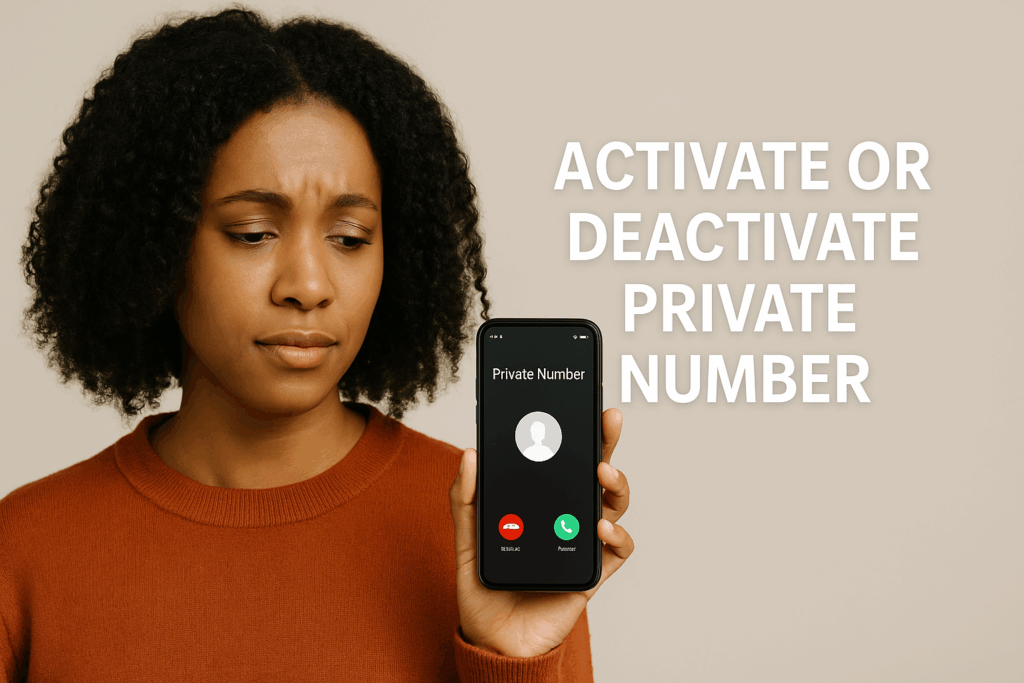
In Kenya today, many people occasionally receive calls labeled simply as “Private Number,” “No Caller ID,” or “Unknown.” It can be disconcerting: Who is calling? Are they legit? Should you answer?
In this post, we’ll dig into:
- What a private number call is
- Why people or organizations use it
- Risks and red flags
- How to activate or deactivate private number (hide/show caller ID) — especially for Kenyan networks
- How to block, unmask, or manage private number calls
- What to do when the calls are harassing or suspicious
By the end, you should be empowered to control how your number appears (or doesn’t) — and how you respond to private number calls.
What Is a “Private Number” Call?
A “private number” (also known as “hidden number,” “anonymous call,” or “no caller ID”) is when the caller intentionally suppresses or hides their phone number so it does not display on the recipient’s device. Instead of seeing a number like “0712 345678,” your screen may show “Private Number,” “Unknown,” or similar.
There are multiple ways this hiding is done:
- Using USSD or carrier codes (e.g. prefixing the dial string)
- Enabling a “Hide Caller ID” / “Block Number” setting on the phone
- Corporate or call-center setups that mask outgoing numbers
In Kenya, private number calls are common, especially for outbound calls from institutions (banks, service providers, surveys) or in situations where anonymity is desired.
While there are legitimate reasons for using private number calls, they also present opportunities for misuse by scammers, pranksters, or malicious actors.
Why Someone Might Use a Private Number
Let’s examine both the legitimate and less innocent reasons behind private number calls.
Legitimate Reasons
- Privacy and discretion
Some users prefer to keep their number hidden in certain contexts (e.g. calling strangers, announcing surprises). - Business or institutional calls
Organizations like banks, customer service centers, or government agencies may mask their number for operational reasons or for consistent branding of outbound calls. - Security / safety reasons
In rare cases, hiding caller ID can help protect individuals in sensitive situations, or for anonymous tip lines.
Illicit or Suspicious Reasons
- Scams and fraud
Hidden numbers are often used by fraudsters to prevent reverse tracing or to create urgency or suspicion. Many private number calls in Kenya have been tied to classic social engineering tactics. - Harassment / stalking
Repeated or threatening calls from anonymous numbers might hide the identity of the caller intentionally. - Prank calls / nuisance
Some people may use private numbers to make prank or nuisance calls without being traced.
Because of these dual possibilities, one must treat private number calls with caution, especially when the caller is demanding sensitive data or urgent payments.
Recognizing Red Flags: When a Private Call Is Suspicious
Whether or not you answer a private number call, be alert to warning signs. Some red flags:
- The caller claims to be from Safaricom, KRA, or your bank and instructs you to share your PIN, PUK, or personal data
- They pressure you to send money or airtime immediately
- They say you have “unpaid taxes” or “account issues” that require instant payment
- They ask you to verify your SIM registration or personal identification
- They offer prizes or rewards in exchange for an advance payment or airtime
These are typical social engineering scam techniques. Legitimate institutions will not request your PIN, PUK, or airtime transfers during calls.
If you sense any of these signs, do not comply. Instead, hang up, block the number (if possible), and report to your service provider or the authorities.
How to Activate / Deactivate Private Number (Kenyan Networks & Devices)
If you want to hide your number when making calls, or conversely, show your number again, here are the steps (for Safaricom, Airtel, Telkom, and on Android / iPhone).
Activating Private Number (Hide Caller ID)
You may want this occasionally — for one call or all calls.
For a Single Call
- Open your phone’s dialer
- Type
#31#before the target number - For example, to call
0712345678privately, dial#31#0712345678 - Press call
This method hides your number for that one call only.
For All Outgoing Calls
You can set your line such that every call hides your number:
- On your phone, go to Settings → Phone / Call Settings → Show My Caller ID
- Turn off the “Show My Caller ID” toggle (i.e. disable it)
Once this is off, your number will not be displayed on outgoing calls.
Alternate / Network Codes
- In Kenya, the code to hide your number across major networks (Safaricom, Airtel, Telkom) is
*31#. - Dialing
*31#activates universal caller ID hiding for your line.
Deactivating Private Number (Show Caller ID)
At some point, you may want your number to be visible again. Here’s how:
For Single Calls
- If you used
#31#before a particular call, the next call will default back to showing your number. No extra step is needed.
For All Calls (Persistent Setting)
- Go to Settings → Phone / Call Settings → Show My Caller ID
- Turn on that toggle (enable “Show My Caller ID”)
- This reverts all future outgoing calls to display your number.
Quick Code Option
- Dial
#31#from your phone’s dialer - Press call
- This disables the private number setting, so your number will appear again on outgoing calls.
⚠️ Note: Be careful not to confuse *31# (which hides the number) with #31# (which shows your number again). Many users accidentally dial the wrong code.
Also note: The exact labels or menu structure might differ slightly depending on your phone’s manufacturer, Android version, or iOS version. When in doubt, use the search feature within your settings.
Device-Specific Notes (Safaricom Guide)
- On iPhone:
- Go to Settings → Phone
- Tap Show My Caller ID
- Toggle it on or off to show/hide your caller ID
- On Android phones:
- Open Phone app → Menu (⋮)
- Go to Settings → Calls / Call settings / Calling accounts
- Choose Additional Settings / More settings → Caller ID
- Select Show number (to deactivate private) or Hide number (to activate)
These steps are essentially the same method described earlier, just more specific to Safaricom.
Blocking or Managing Private Number Calls (On Your Device)
If you frequently receive unwanted private calls, you can choose to block or filter them at the device level.
Android
- Open your Phone (dialer) app
- Tap menu (⋮) → Settings
- Go to Blocked numbers
- Enable Block calls from private/unknown numbers
Once enabled, your phone will automatically reject calls from numbers with no caller ID.
iPhone
- Open Settings → Phone
- Find the option Silence Unknown Callers
- Turn it on
This doesn’t block private calls outright, but sends them directly to voicemail (silenced). You won’t get a ring, but the call may be logged.
Using Third-Party Call Blocking / Caller ID Apps
To add more control, consider apps that help you identify and block suspicious calls:
- Truecaller – Very popular in Kenya; identifies many unknown numbers and flags spam.
- Hiya – Offers caller identification and spam detection
- CallApp – Includes call recording, spam filters, and more
These apps combine community data, heuristics, and user reports to flag or block calls that look malicious. They may sometimes reveal information about private calls, though success isn’t guaranteed.
Combine Approaches
A robust strategies might include:
- Block private numbers at the device level
- Use a caller-ID/spam app
- Only answer private number calls when you have reason to trust the caller
- Maintain a log of suspicious calls (time, frequency, message)
What to Do When You Receive Repeated or Threatening Private Calls
If private number calls become harassing or threatening, you have recourse.
- Contact your network provider
- Safaricom: Dial
100or visit a Safaricom shop - Airtel: Dial
100or use the MyAirtel app - Telkom Kenya: Call
100or visit their service centers
- Safaricom: Dial
- Report to the authorities / Communications Authority of Kenya (CAK)
If calls are threatening or unlawful, file a police report, and the CAK may assist in investigations. - Retain evidence
Keep a detailed log: date, time, frequency, any content or voice, screenshots. This helps providers or law enforcement when tracing. - Don’t engage
Do not respond to threats or demands. Do not share personal data, PINs, or money.
By combining your own defensive measures with institutional help, you can mitigate the harassment.
Can You Unmask a Private Number?
Unmasking a private number is hard — by design, the caller has suppressed their identity. However, in certain cases:
- Service provider assistance: Under legal or protective circumstances, your telco might trace or cooperate with law enforcement to reveal the number.
- Caller ID / Directory apps: Apps like Truecaller may match the number in their database, even if it’s hidden in the call. This depends on whether the number was previously exposed somewhere.
- Voicemail / missed calls: The caller might leave a message or inadvertently reveal their identity later.
But in many cases, you won’t know who called unless there’s a formal investigation.
Advantages & Disadvantages of Using Private Number
As with many features, hiding your number has tradeoffs.
Pros
- Privacy control: You decide whether your number is visible
- Reduced spam exposure: Some telemarketers might ignore hidden numbers
- Useful in specific scenarios: E.g., surprise calls, occasional anonymity
Cons
- Reduced trust: Many people don’t pick calls labeled “Private Number”
- Missed callbacks: Recipients can’t directly return your call
- Perception issues: Hidden number calls often appear suspicious
- Automatic blocking: Many phones or apps auto-block unknown or private numbers
Hence, use the feature carefully and not habitually unless you have a compelling reason.
Best Practices: What You Should Do
Putting theory into practice, here are recommended rules of thumb for handling private number calls in Kenya:
| Scenario | Recommended Action |
|---|---|
| Occasional private call from unknown person | Let it go to voicemail; review the message |
| Private call claiming urgent financial or personal data demands | Do not engage; hang up |
| Frequent harassment or threats | Report to provider and authorities |
| You wish to hide your number temporarily | Use #31# prefix or disable “Show My Caller ID” |
| You want to show your number again | Use #31# or enable “Show My Caller ID” in settings |
| General protection against spam | Enable “Block private/unknown callers” + use Truecaller or similar |
Also:
- Keep your phone OS and apps updated
- Use security awareness: never share sensitive info over a call
- When making calls to new people, consider not hiding your number (to build trust)
A Sample Scenario: How This Works in Practice
Let’s walk through a hypothetical user, Amina in Nairobi:
- She starts receiving multiple private-number calls that insist she owes some tax money or risk legal action.
- Amina does not answer; instead, she checks her voicemail and finds nothing.
- She enables “Block calls from private/unknown numbers” on her Android phone (through call settings).
- She also installs Truecaller to flag and block suspicious calls.
- After a few calls, she contacts her Safaricom provider (dialing
100) to complain and request trace/block action. - She retains her log of incoming private call times and any content heard.
- If threats continue, she considers a police report and involving CAK.
At the same time, Amina sometimes wants to call someone but keep her number hidden — she dials #31# before the number to hide for just that call. For normal calls, she leaves her number shown to avoid being ignored.
This mixed strategy gives her more control over what she receives and what she reveals.
Common FAQs About Private Number Calls in Kenya
Q: Is using a private number illegal in Kenya?
A: No. It is legal to hide your caller ID (private number) in Kenya. The important caveat is that it must not be used for illegal or harassing purposes.
*Q: Will dialing 31# always hide my number?
A: Yes, for most Kenyan networks (Safaricom, Airtel, Telkom), *31# sets your line to hide caller ID on all outgoing calls.
Q: How do I revert and show my number again?
A: Dial #31# or re-enable “Show My Caller ID” in your phone settings.
Q: Will blocking private numbers cause me to miss legitimate calls?
A: Yes — if a contact hides their number, their call will be blocked or silenced. Use with discretion.
Q: Can telecom providers reveal a private number?
A: Not casually. But in cases of harassment, threats, or legal orders, they may trace the call in cooperation with law enforcement.
Q: Do call-blocking apps always work?
A: No. They’re helpful and improve over time, but they may not catch every private number, especially brand new or masked ones.
Conclusion
Private number calls remain a double-edged sword: a tool for legitimate privacy, but also a means for misuse. In Kenya, where such calls are common, knowing how they work and how to manage them is key to digital safety.
Here’s your takeaway:
- Understand what a private number is and why it’s used
- Use
#31#or phone settings to hide your number when needed - Re-enable your number via
#31#or toggles when desired - Block or silence private number calls using device settings
- Use apps like Truecaller for added protection
- If calls become harassing or threatening, escalate to your provider and authorities
Frequently Asked Questions (FAQs) About Private Number Calls in Kenya
Q1: What does it mean when I see “Private Number” on my phone?
A: It means the caller has hidden their number using network codes, phone settings, or a system setup. Instead of displaying the actual phone number, your screen shows “Private Number” or “Unknown.”
Q2: Is it legal to hide my number in Kenya?
A: Yes. Using a private number is legal in Kenya. However, it becomes a criminal issue if it is used for harassment, fraud, or other unlawful purposes.
Q3: How do I hide my number when making a call?
A: You can dial #31# before the number you’re calling for one-time anonymity. To permanently hide your number, go to your phone’s settings and turn off “Show My Caller ID,” or dial *31# to activate private number for all calls.
Q4: How can I show my number again after using private mode?
A: Dial #31# to deactivate the private setting or enable “Show My Caller ID” in your phone settings. This ensures your number is visible on all outgoing calls.
Q5: How do I block private number calls on my phone?
A: On Android, go to your phone app settings and enable “Block calls from private/unknown numbers.” On iPhone, use the “Silence Unknown Callers” option. Third-party apps like Truecaller can also help.
Q6: Can Safaricom or Airtel reveal the identity of a private number caller?
A: They typically don’t disclose identities directly, but in serious cases such as harassment or fraud, they can trace and share details with authorities when officially requested.
Q7: Should I answer private number calls?
A: It depends. If you suspect it’s from a legitimate institution, you may answer. However, never share sensitive details such as PINs, passwords, or M-Pesa information over such calls.